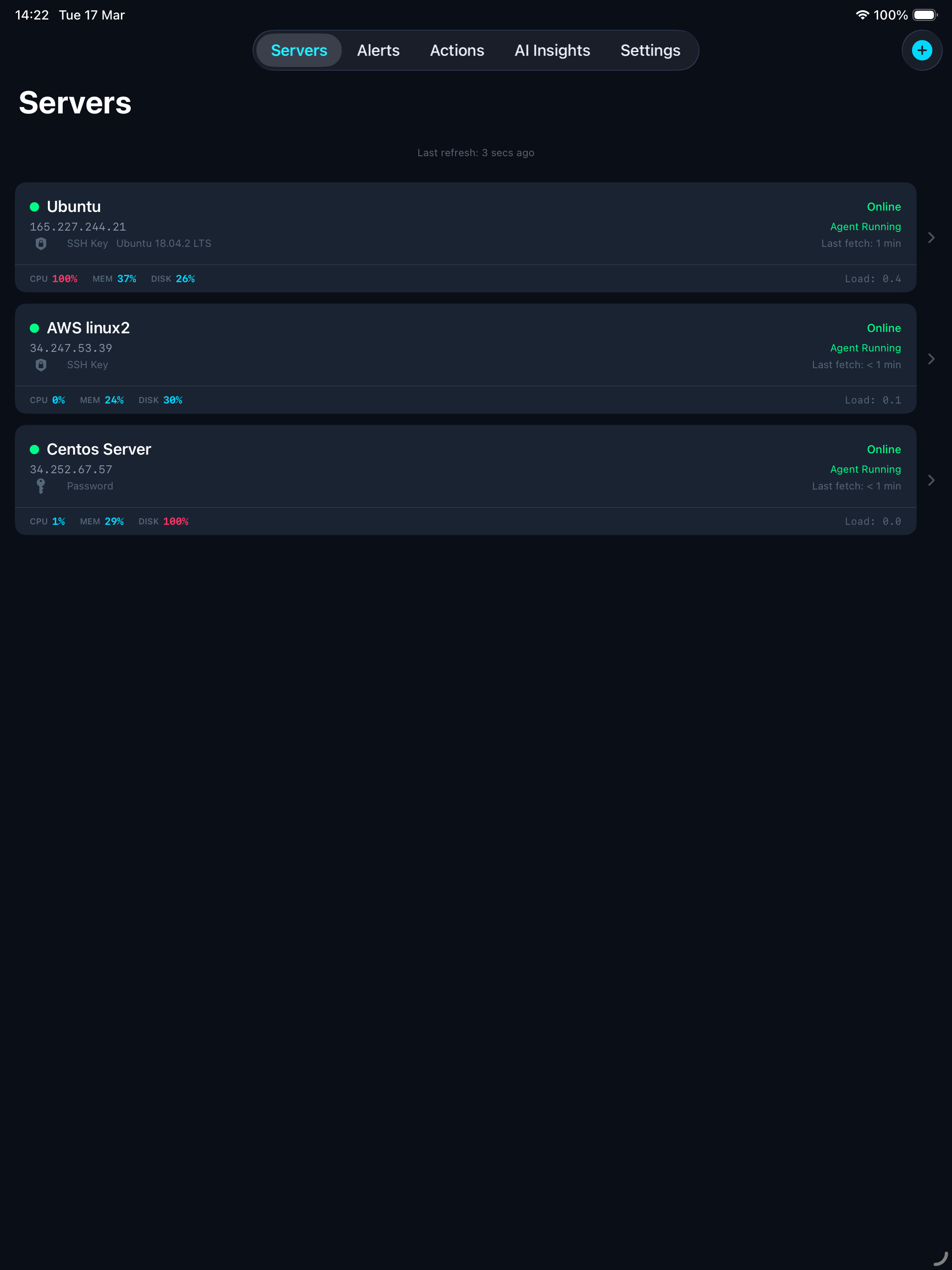
ServerGuardAI watches your infrastructure 24/7, detects anomalies instantly, and alerts you before things break — right from your Mac or iPhone.
Everything you need to keep your servers healthy, in one beautiful app.
Intelligent diagnostics powered by AI that analyse your server metrics, logs, and configuration to flag issues before they escalate.
Live metrics for CPU, memory, disk, load, network, swap, and services — all at a glance in a beautiful native interface.
Get notified on your Mac, iPhone, or iPad the moment something goes wrong — CPU spikes, disk full, services down.
No registration, no passwords. Your identity comes from iCloud automatically. SSH credentials never leave your device — stored in Apple’s Keychain.
Three simple steps to complete server visibility.
Enter your server’s IP and SSH credentials. The app connects and automatically installs the monitoring agent for you.
Within seconds, live metrics start flowing — CPU, memory, disk, services, SSL certs — updated every 2 minutes.
Receive push notifications when thresholds are crossed. Restart services, block IPs, or run AI diagnostics — all from your device.
All features on every plan. Tiers differ by capacity only.
Download ServerGuardAI and get your first server connected in under 2 minutes.
Download for Mac & iOSEverything you need to know before getting started.
Any Linux server you can SSH into — Ubuntu, Debian, CentOS, AlmaLinux, Rocky Linux, and more. The agent is a lightweight bash script with no special dependencies.
No. The agent uses minimal resources — it runs for a fraction of a second every 2 minutes to collect metrics, then sleeps. It’s designed to be invisible.
Automatically. When you add a server in the app, it connects via SSH, installs the monitoring agent, and starts it as a background service. No terminal commands needed.
Yes. Anyone with SSH access to a server can claim it using the server’s API key. The original owner keeps full ownership, and the new user gets shared access to view metrics and alerts.
Yes. Monitoring data (CPU, memory, etc.) is stored securely on our cloud API. SSH credentials never leave your device — they’re stored in Apple’s Keychain, backed by hardware security, and are never sent to our servers.
The agent continues running and sending data. If you reinstall the app, your servers will sync back from iCloud. You can also remove the agent from any server at any time via SSH.