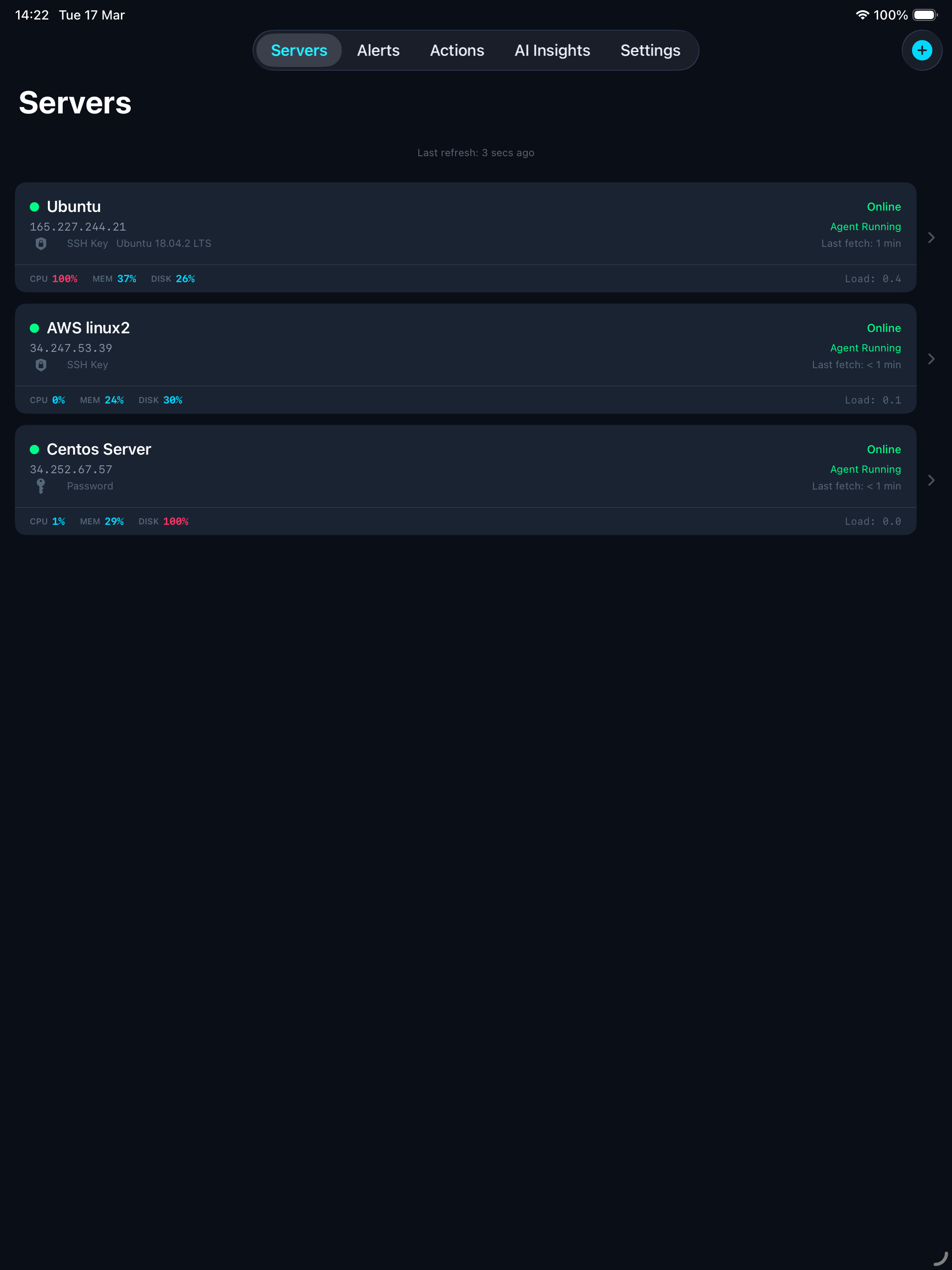
Monitor, protect, and manage your Linux servers from anywhere — your iPhone, iPad, or Mac.
ServerGuardAI keeps an eye on your Linux servers 24/7 and sends you instant alerts when something goes wrong. Check server health, restart services, block suspicious IPs, and get AI-powered diagnostics — all from your device.
A tiny program on your server that sends health data every 2 minutes.
Receives the data, stores it, checks thresholds, and sends you push notifications.
Your dashboard to see everything and take action when needed.
Getting started takes just a few taps. Enter your server’s hostname or IP address and your SSH login details (password or SSH key).
The app connects to your server via SSH, automatically installs the monitoring agent, and starts it as a background service. No terminal commands needed.
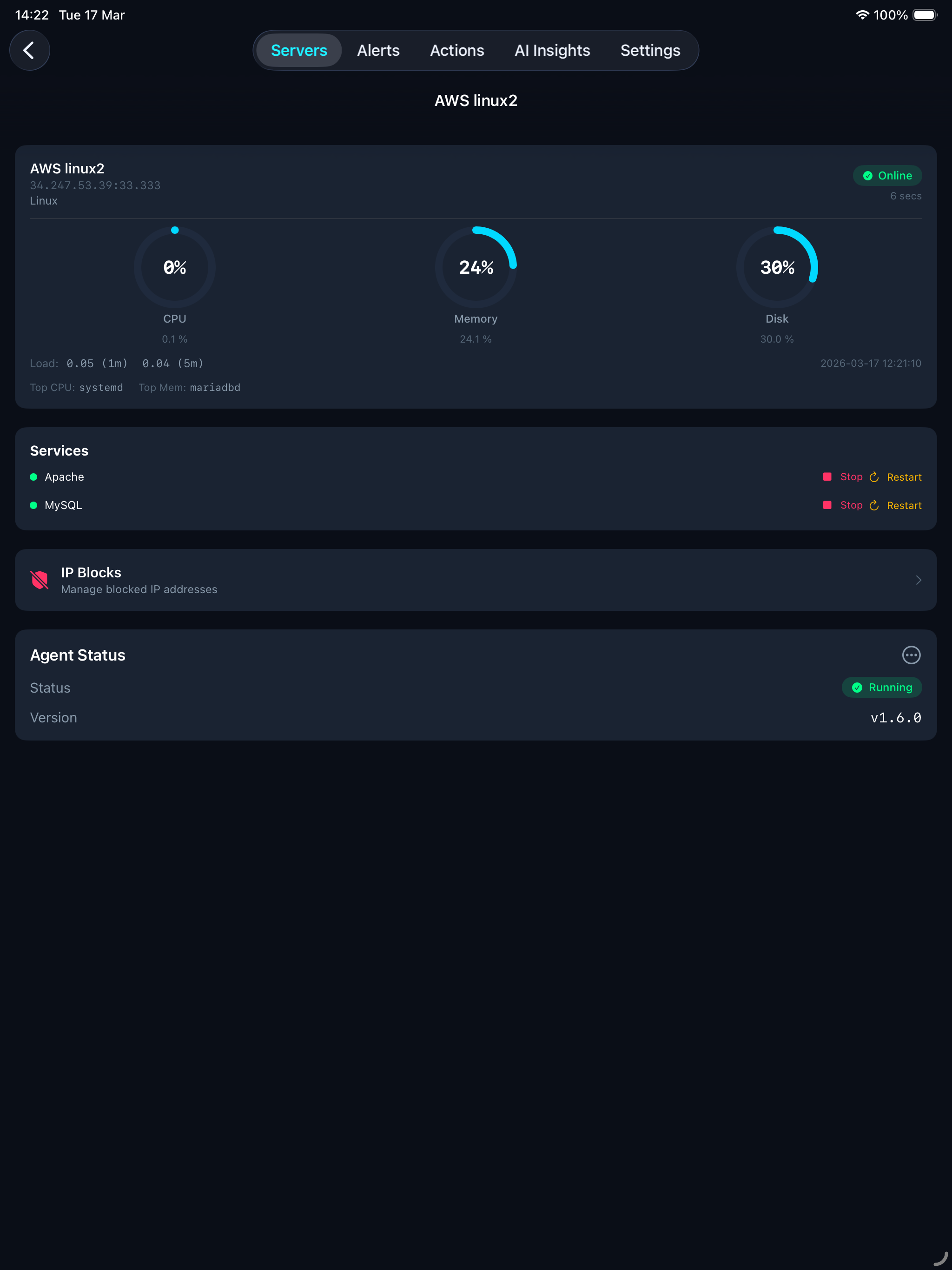
Within seconds of adding your server, live metrics start flowing to your dashboard. Everything you need to know at a glance, updated every 2 minutes.
Start, stop, or restart any service with a single tap — commands run directly on your server via SSH.
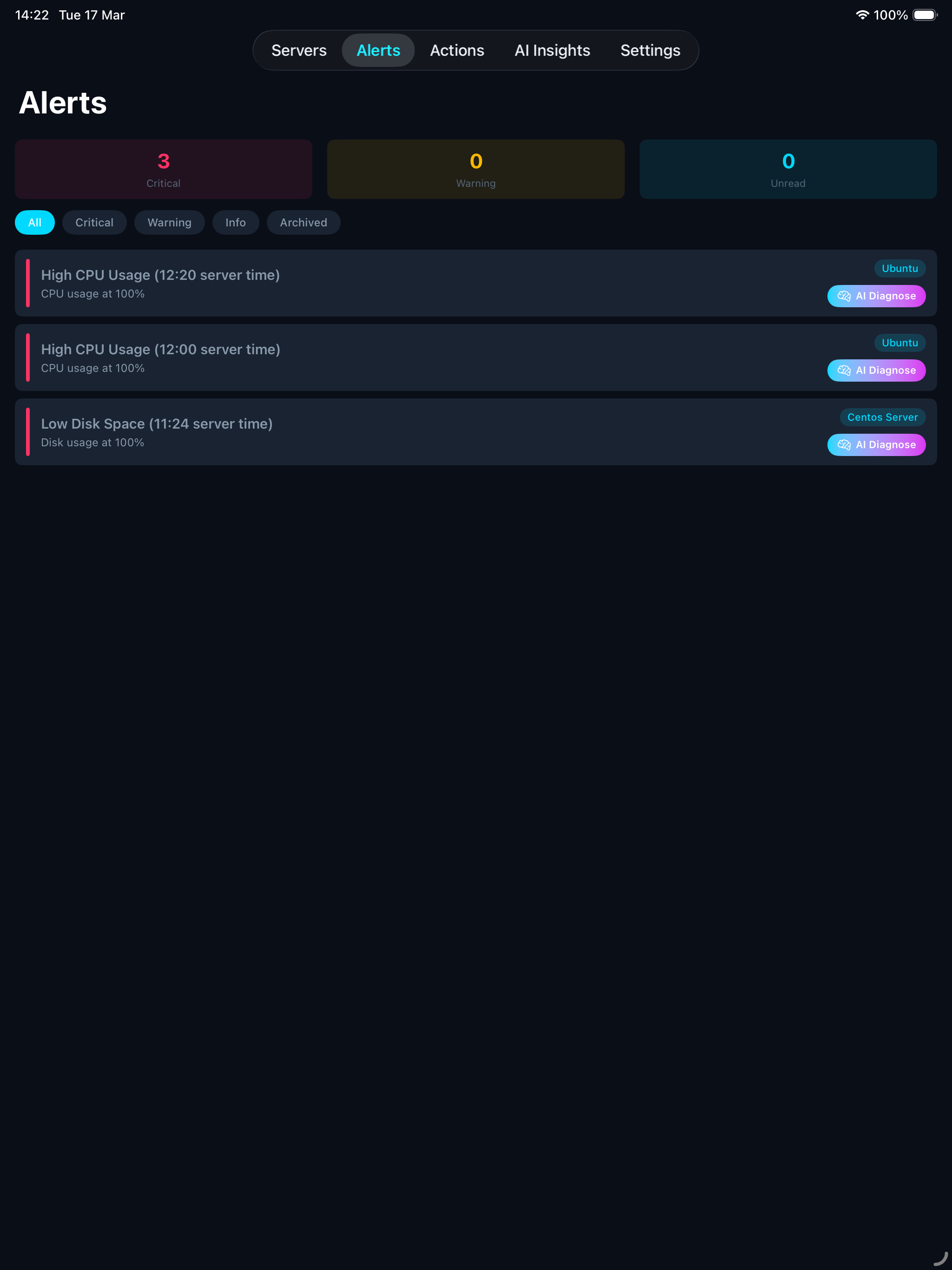
Get notified the moment your server needs attention. Available on all plans — Free gets 10 push alerts, Pro and Enterprise get unlimited.
Alerts are delivered as push notifications to all your devices. Duplicate alerts are automatically suppressed for 15 minutes so you don’t get spammed.
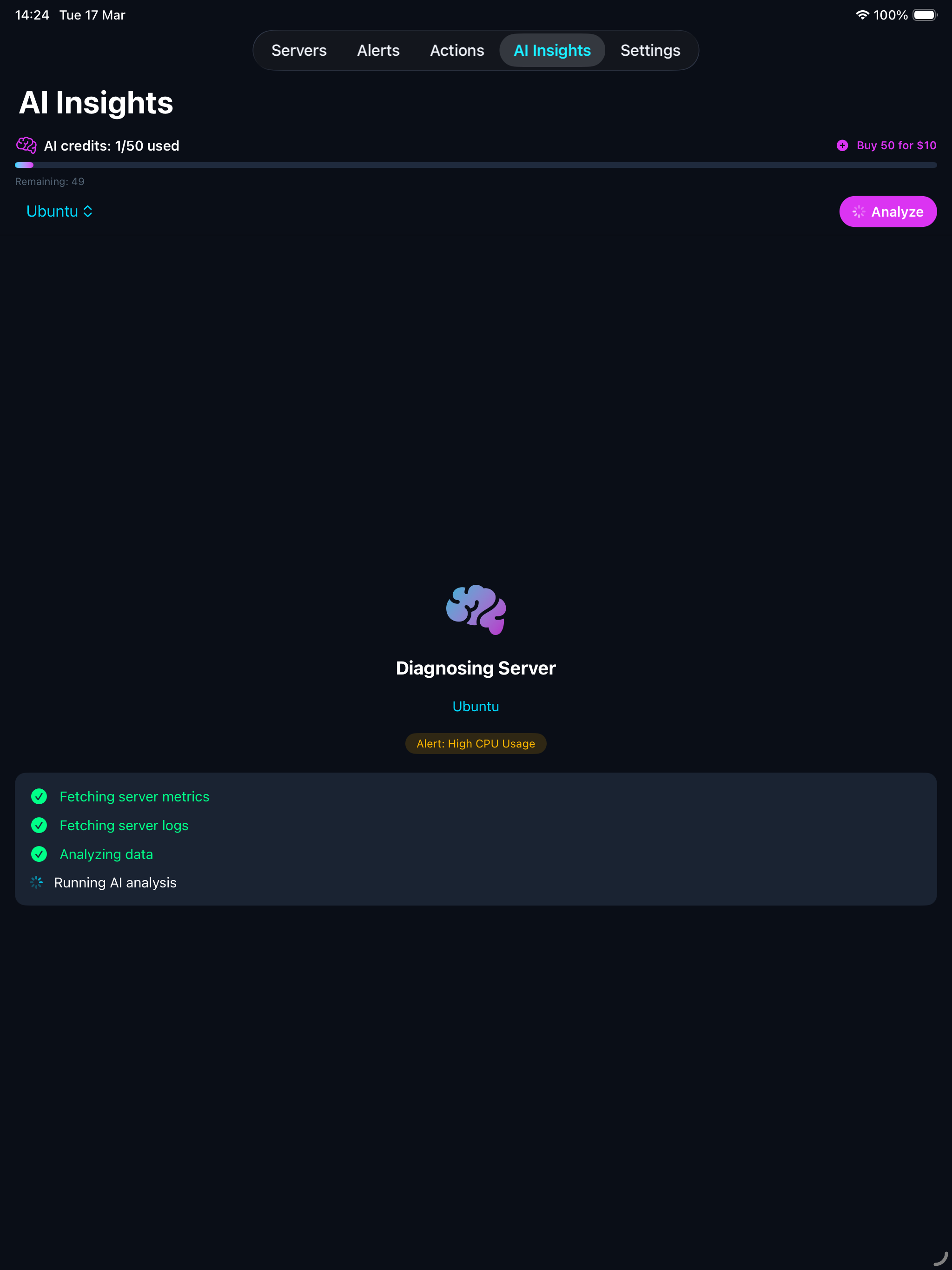
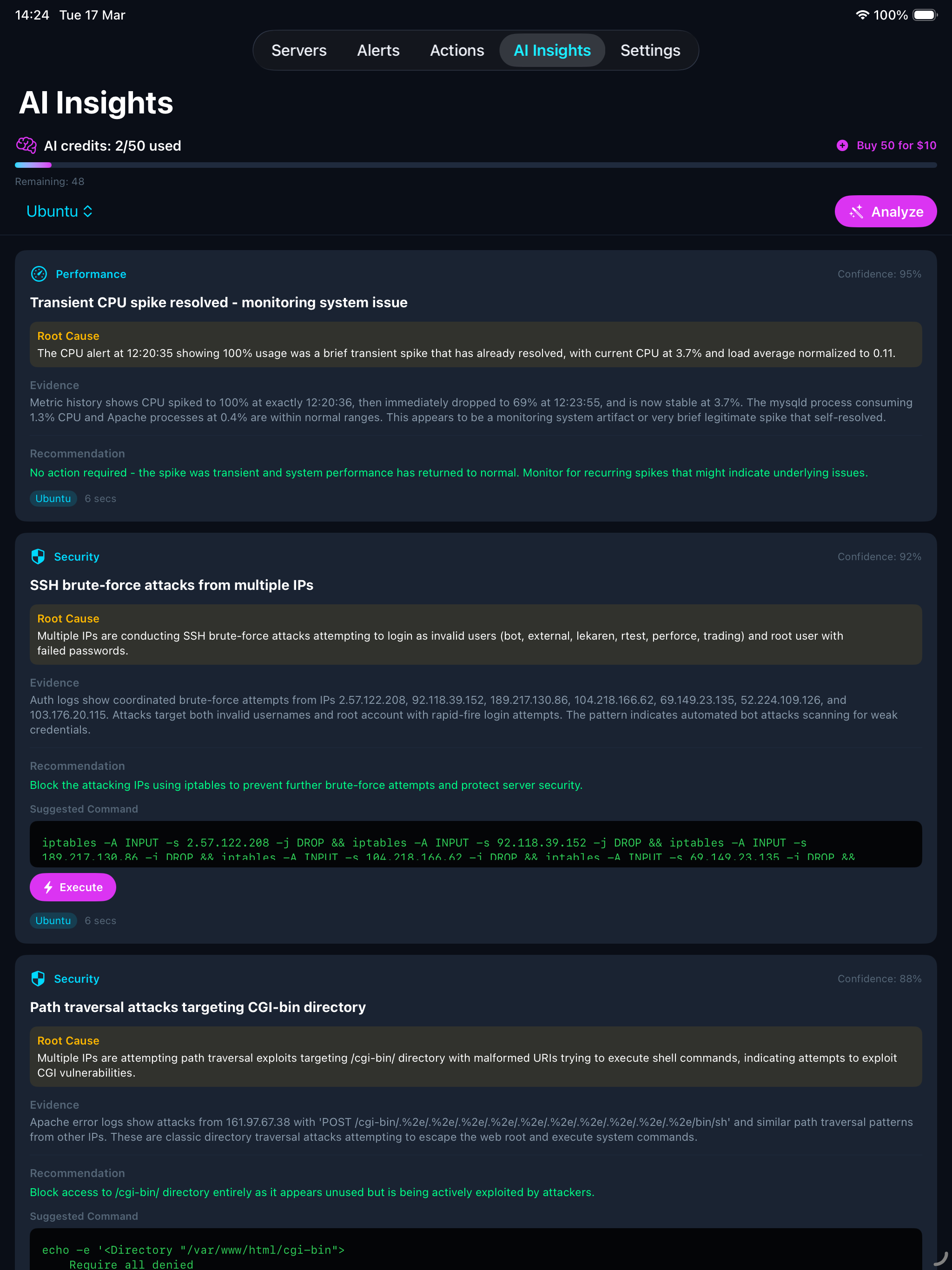
Available on all plans — each analysis uses 1 AI credit. Tap Analyse on any server and the AI examines your metrics, logs, service status, and network connections. Within seconds you get a full diagnosis:
Each finding includes a confidence score, the root cause, supporting evidence, and a recommended fix with one-tap execution. The AI also provides verify and rollback commands. You always review the command first — nothing runs without your approval.
Every analysis includes an overall health score from 1 to 10 with a plain-English summary. Free gets 10 credits, Pro gets 30, Enterprise gets 50/month. Additional packs of 50 credits can be purchased anytime on any plan.
Take action on your servers without ever opening a terminal. All commands run directly from your device to your server over SSH.
Built-in safety: Before any command runs, a safety filter blocks dangerous operations like recursive deletes, system shutdowns, and fork bombs. Every action is logged so you have a complete audit trail.
Two separate channels — monitoring goes through the cloud, actions go direct.
The cloud API is never involved in actions — it only handles monitoring data and notifications.
Your servers and data are protected at every level.
The agent only sends data out. It never receives or runs commands from the cloud. No open ports needed on your server.
All data travels over HTTPS with TLS. Agent payloads are additionally signed with HMAC-SHA256 to prevent tampering.
SSH passwords and keys are stored in Apple’s Keychain, backed by hardware security. They never leave your device.
Destructive commands (recursive deletes, shutdowns, fork bombs) are automatically blocked. Each server has isolated API credentials generated at setup.
Use ServerGuardAI on your iPhone, iPad, and Mac. Server configurations can be synced across devices via iCloud (push/pull from Settings). All devices see the same live metrics and alerts from the cloud API. SSH credentials are stored securely in Keychain on each device and must be entered once per device.
All features on every plan. Tiers differ by capacity only.
Additional AI credit packs (50 credits) can be purchased anytime on any plan.
Download the app, add your server, and see your first dashboard — the agent installs automatically.
Everything you need to know before getting started.
Any Linux server you can SSH into — Ubuntu, Debian, CentOS, AlmaLinux, Rocky Linux, and more. The agent is a lightweight bash script with no special dependencies.
No. The agent uses minimal resources — it runs for a fraction of a second every 2 minutes to collect metrics, then sleeps. It’s designed to be invisible.
Automatically. When you add a server in the app, it connects via SSH, installs the monitoring agent, and starts it as a background service. No terminal commands needed.
Yes. Anyone with SSH access to a server can claim it using the server’s API key. The original owner keeps full ownership, and the new user gets shared access to view metrics and alerts.
Yes. Monitoring data (CPU, memory, etc.) is stored securely on our cloud API. SSH credentials never leave your device — they’re stored in Apple’s Keychain, backed by hardware security, and are never sent to our servers.
The agent continues running and sending data. If you reinstall the app, your servers will sync back from iCloud. You can also remove the agent from any server at any time via SSH.